Post what you need
Choose the role, shift time, number of positions, wage range and location. Current tools also support multi-day shift series.
For restaurants, caterers, bars and events
Active in Greater Montreal. Post a flexible hospitality contract, review interested profiles and requested rates, choose a contractor, then manage the shift from confirmation through payment.
A direct workflow
Choose the role, shift time, number of positions, wage range and location. Current tools also support multi-day shift series.
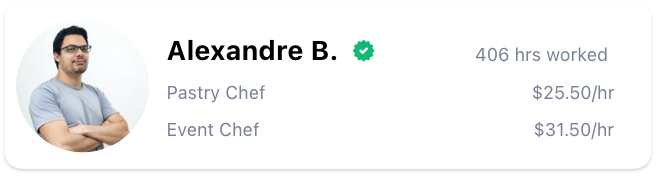
Compare interested profiles, requested rates, recorded experience, reviews and other profile information available for the role.
Keep contract details and messages together, record time, review the completed work and follow payment status.
Built for real operations
Epic Staff’s current workflow supports one-off needs, multiple open positions, repeated dates and direct invitations to known contractors. Establishments can also have multiple manager profiles, including posting managers and shift supervisors.
Transparent pricing
The standard Epic Staff fee is 25% of contractor pay before taxes. GST and QST are added to Epic Staff’s fee. If a contractor is registered to charge tax, those contractor taxes are additional and are not included in this estimate.
This calculator is an estimate, not an invoice. Promotional fees, special contracts, contractor tax status, cancellations and rounding can change the final total shown before payment.
Before any taxes charged by the contractor.
Available role types
Actual contractor availability varies by location, date, time and requested rate.
Establishment FAQ
Epic Verified is a platform status. Current records store the status but do not contain a public checklist or audit trail showing which identity, eligibility, reference, certification, interview or skill checks were completed. Do not treat it as a guarantee of skill, conduct, licensing or legal eligibility.
Yes. The current platform data model supports multiple manager profiles linked to an establishment, including posting-manager and shift-supervisor types.
Yes. Current tools support multiple positions, multi-day series and direct or prefilled bookings. Each created contract is tracked separately, and the contractor still needs to be available and agree to the contract.
Unfilled contracts can remain open and reminders may be sent based on timing and matching criteria. Epic Staff does not guarantee a fill. Keep your normal contingency plan for critical shifts.
The current payment workflow supports a three-hour contractor payment at the confirmed rate for establishment cancellations and can include Epic Staff fees and applicable taxes. The rule for shorter shifts, exceptions and authorization still depends on the current agreement and requires legal confirmation.
The platform can add a no-show indicator to the contractor account. The website does not promise a replacement, compensation, suspension or response time. Contact support and use your normal contingency plan for the shift.
Current backend matching can use role, location, distance preference, availability settings and timing. Establishments still choose among interested profiles. Matching does not guarantee that a person will apply, accept or attend.
Desktop tools for establishments
EpicStaff Managers is a separate desktop app for establishment teams. Use it to post shifts, review interested contractors and manage active work from Windows or macOS.